


Archive for August 2013


Siegecraft Defender v1.0.0 APK

- Classic TD game play set in the beautiful world of Siegecraft.
- Over 1 Million people have enjoyed the world of Siegecraft to date!
- Dozens of enemies on screen at once, all rendered in amazing 3D!
- Real-time shadows and pixel shaders for your visual pleasure!
- 15 unique towers
- 18 unique units
- Over 30 levels
- Over 10 hours of campaign mode
- Endless single player maps for infinite game play
- Multiplayer for fun combat against your friends in local hotseat
- Globally ranked multiplayer matches to prove you are the strategy Master.
Tag :
Android Games,
သင့္ဖုနး္ကို ဓါတ္မီးအျဖစ္သုံးလို႕ရေစမယ့္ Flash light
FlashLight HD LED Pro v1.57 APK
- It is simple and well designed
- launch it and get light instantly by pressing one button
- uses the integrated FlashLight
- also uses your full screen as a light source (works on all devices)
- add a widget for quick access
Tag :
Android Games,
Samsung Galaxy S4 Mini I9195ကို Root လုပ္ျပီးFlash CWM Recovery သြင္းၾကမယ္
ခုလတ္တေလာေနာက္ဆံုးထြက္တဲ.Android ဖုန္းSamsung Galaxy S4 Mini I9195ကို Rootလုပ္ျပီး CWM Recovery သြင္းနည္းေလးတင္ေပးလုိက္ပါ။
SAMSUNG USB DRIVER: DOWNLOAD HERE
Galaxy-S4-Mini-root.zip:Download HERE

* မိမိဖုန္းကို “Settings -> Applications -> Development -> USB debugging” onထားလုိက္ပါ။
ေဒါင္းလို.ရလာတဲ. Galaxy S4 Mini Root.Zip ဖုိင္ကိုျဖည္လိုက္ပါ။
ျဖည္လို.ရလာတဲ.ထဲက Odin3 v3.07.exeကို PC မွာဖြင္.ထားလုိက္ပါ။
မိမိS4 Mini ေလးကို Power ပိတ္လိုက္ပါ။ မိမိဖုန္းdownload modeထဲကို၀င္နုိင္ရန္အတြက္ volume down + home + power button ေတြကိုတျပိဳက္နက္တည္း တေအာင္.ေလာက္ၾကာေအာင္တျပိဳက္နက္တည္းဖိနွိပ္ထားပါ။Download Mode ထဲကိုေရာက္သြားပါလိမ္.မယ္။
မိမိဖုန္းကို USB Cable နဲ.PC ျဖင္.ခ်ိတ္ဆက္လုိက္ပါ။Odin မွာရွိတဲ.PDA ကိုကလစ္လုိက္ျပီး
GT-I9195_MF5_870901_kernel.tar.md5 ကိုထည္.လုိက္ပါ။
ျပီးလွ်င္ Start ကိုနွိပ္လိုက္ပါ။
OdinမွာPassလို.ေပၚလာျပီး ဖုန္းကAuto Reboot ျဖစ္သြားပါလိမ္.မယ္။ Rebootျပန္တက္လာရင္ေတာ. မိမိေတာ.S4 Miniေလးကို Rootလုပ္လုိ.ေအာင္ျမင္ျပီ ျဖစ္ပါတယ္။
မိမိဖုန္းကို PC နဲ.ျပန္ခ်ိတ္ဆက္လုိက္ပါ။
Odinကိုဖြင္.လုိက္ျပီး PDAမွာပဲ ေစာေစာကေဒါင္းထားတဲ. Galaxy S4 Mini Root.Zipဖုိင္ထဲက recovery-clockwork-6.0.3.3-serranoltexx.tar.md5 ဖိုင္ကို ထည္.လိုက္ပါ။
Startကိုနွိပ္လုိက္ပါ။ CWM Recovery ကို Flash လုပ္ပါလိမ္.မယ္။ဖုန္းက Rebootျဖစ္သြားပါမယ္။ Reboot ျပန္တက္လာရင္ S4 Miniေလးဟာ CWM Recovery သြင္းျပီးသားလည္းျဖစ္သြားပါျပီ။
အားလံုးအဆင္ေျပပါေစခင္ဗ်ာ။
SAMSUNG USB DRIVER: DOWNLOAD HERE
Galaxy-S4-Mini-root.zip:Download HERE
* မိမိဖုန္းကို “Settings -> Applications -> Development -> USB debugging” onထားလုိက္ပါ။
ေဒါင္းလို.ရလာတဲ. Galaxy S4 Mini Root.Zip ဖုိင္ကိုျဖည္လိုက္ပါ။
ျဖည္လို.ရလာတဲ.ထဲက Odin3 v3.07.exeကို PC မွာဖြင္.ထားလုိက္ပါ။
မိမိS4 Mini ေလးကို Power ပိတ္လိုက္ပါ။ မိမိဖုန္းdownload modeထဲကို၀င္နုိင္ရန္အတြက္ volume down + home + power button ေတြကိုတျပိဳက္နက္တည္း တေအာင္.ေလာက္ၾကာေအာင္တျပိဳက္နက္တည္းဖိနွိပ္ထားပါ။Download Mode ထဲကိုေရာက္သြားပါလိမ္.မယ္။
မိမိဖုန္းကို USB Cable နဲ.PC ျဖင္.ခ်ိတ္ဆက္လုိက္ပါ။Odin မွာရွိတဲ.PDA ကိုကလစ္လုိက္ျပီး
GT-I9195_MF5_870901_kernel.tar.md5 ကိုထည္.လုိက္ပါ။
ျပီးလွ်င္ Start ကိုနွိပ္လိုက္ပါ။
OdinမွာPassလို.ေပၚလာျပီး ဖုန္းကAuto Reboot ျဖစ္သြားပါလိမ္.မယ္။ Rebootျပန္တက္လာရင္ေတာ. မိမိေတာ.S4 Miniေလးကို Rootလုပ္လုိ.ေအာင္ျမင္ျပီ ျဖစ္ပါတယ္။
CWMသြင္းမယ္
မိမိဖုန္းကို Rootလုပ္ျပီးသည္နဲ.တျပိဳက္နက္ CWMလည္းသြင္းထားသင္.ပါတယ္။မိမိဖုန္းကို PC နဲ.ျပန္ခ်ိတ္ဆက္လုိက္ပါ။
Odinကိုဖြင္.လုိက္ျပီး PDAမွာပဲ ေစာေစာကေဒါင္းထားတဲ. Galaxy S4 Mini Root.Zipဖုိင္ထဲက recovery-clockwork-6.0.3.3-serranoltexx.tar.md5 ဖိုင္ကို ထည္.လိုက္ပါ။
Startကိုနွိပ္လုိက္ပါ။ CWM Recovery ကို Flash လုပ္ပါလိမ္.မယ္။ဖုန္းက Rebootျဖစ္သြားပါမယ္။ Reboot ျပန္တက္လာရင္ S4 Miniေလးဟာ CWM Recovery သြင္းျပီးသားလည္းျဖစ္သြားပါျပီ။
အားလံုးအဆင္ေျပပါေစခင္ဗ်ာ။
Tag :
Rooting,

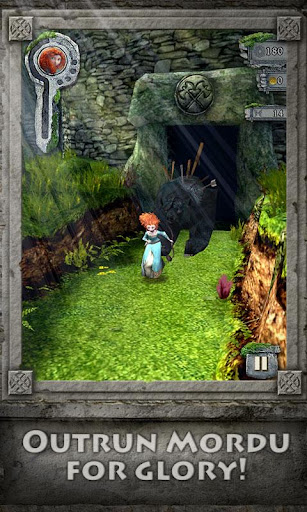

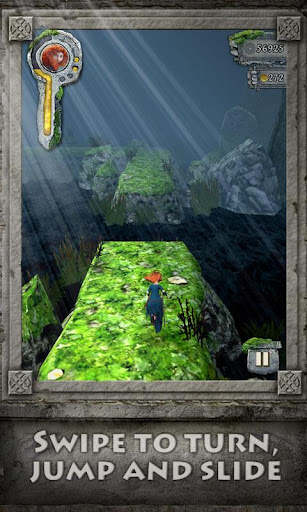

အလန္းစား Action Launcher Pro v1.9.0 APK

Features:
- Sliding app drawer for instant access to all your apps
- 'Covers', a powerful new way to quickly launch apps and shortcuts without compromising the look of your carefully crafted homescreen.
- Action bar present on the home screen
- Highly organized customization options
- Strong Play Store integration


Downlaod here
Tag :
Android Games,
He-Man: The Most Powerful Game v1.0.0 APK

Game Features:
• He-Man characters and world that fans know and love remastered for the modern generation.
• 27 action-packed levels spread across 7 areas of Eternia.
• Fluid, intuitive controls for stunning swordplay.
• Huge boss fights with He-Man's greatest foes including Beast Man and Skeletor.
• Strengthen He-Man with fabulous secret powers and upgrades.
Required Android O/S : 2.3+
Downlaod here
Tag :
Android Games,


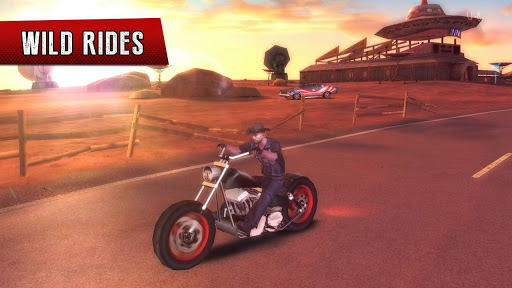
Gangstar Vegas v1.1.0 APK


- Get ready to face the Mojave Apocalypse in this mad update for Gangstar Vegas!
- 11 new missions, including 2 new types: Skydive & Delivery
- 3 new vehicles: Sand Soldier, Mojave Maw & Badland Bully
- New deadly weapon: Sawed-Off Shotgun (double)
- A sick post-apocalyptic-themed suit and mohawk for Jason!
- Major bugs fixed, including GFX issues & game crashing on some devices
- Other improvements, including reworked controls & small bug fixes
- MOGA controller support during action phases
- ဖိုင္ဆိုဒ္ၾကီးပါတယ္.... ဒါေပမယ့္ ေဆာ့လို႕အရမ္းေကာင္းပါတယ္ DATA file ကို ေျခာက္ပိုင္းခြဲတင္ထားပါတယ္
Screenshots :





Tag :
Android Games,

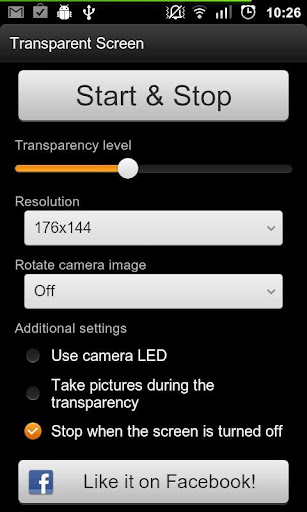
ေဖာက္ထြင္းျမင္ရတဲ့ပုံစံန႕ဲ Transparent Screen PRO v2.24 APK
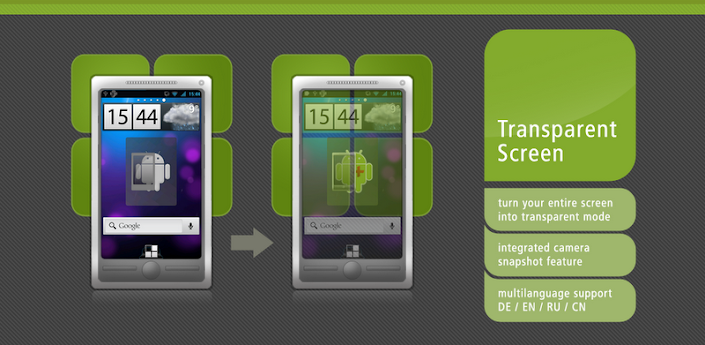

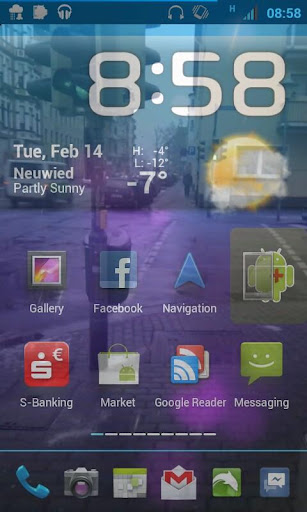
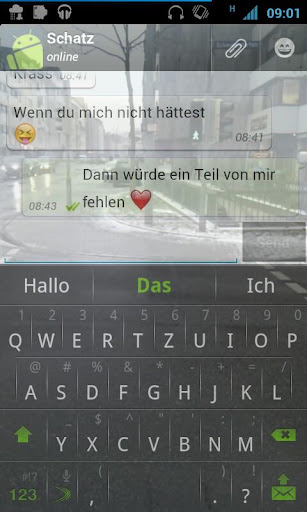
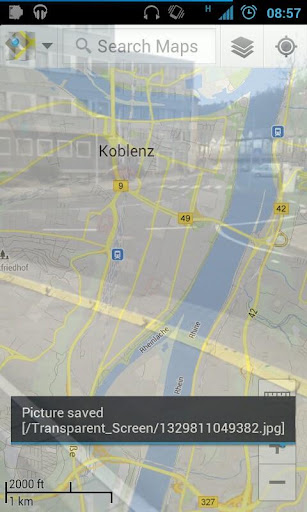
Screen shot ေလးေတြၾကည့္ၾကည့္ပါ ...သေဘာက်ရင္ေအာက္မွာလင့္ေပးထားပါတယ္
Pro features:
- No Ads (the internet permission is not anymore needed)
- Widget
- Use the camera LED
- take pictures during transparency" bug got fixed
- orientation change bug got fixed
Tag :
Android Games,
အပစ္အခတ္အက္ရွင္ဂိမ္းသမားေတြအတြက္ Bounty Hunter: Black Dawn v1.20 APK


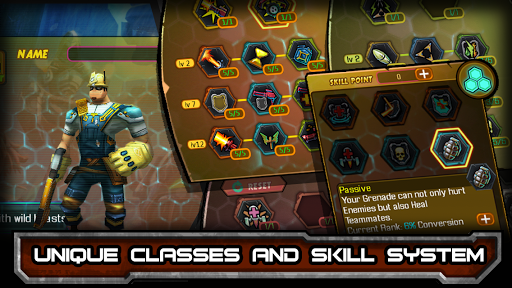


first person ေနရာေန ကစားရမွာျဖစ္ပါတယ္...shooting အလန္းေလးပါ..APK+DATA ျဖစ္ပါတယ္..ေအာက္က လင့္မွာေဒါင္းလုပ္ယူႏိုင္ပါတယ္ခင္ညာ
Instructions :
- Install APK
- Copy 'com.ifreyrgames.blackdawn' folder to 'sdcard/Android/Obb/'
- Launch the game
Download here
Tag :
Android Games,

HTC One ကို Bootloader unlock လုပ္ CWM သြင္း Root ေဖာက္ရမယ္
HTC one ကို root မယ္ဆိုရင္ အရင္ဆုံးbootloader unlock လုပ္ရပါ့မယ္ ဒါေၾကာင့္ unlockလုပ္ၾကည့္ရေအာင္..

How to Unlock HTC One Bootloader
အရင္ဆုံး မိမိဖုန္းကို Back up လုပ္ထားလိုက္ပါ..
a). HTC Sync Manager ကိုေဒါင္းလုပ္ယူၿပီးသုံးႏိုင္ပါတယ္
b). ၿပီးရင္ Fastboot zip file ကိုေဒါင္းၿပီးဖိုဒါတစ္ခုေဆာက္ၿပီး fastboot လို႕ေပးထားပါ
Step 1.ဖုန္းကိုအားျပည့္ေအာင္သြင္းထားၿပီး usb debugging ကို on ထားပါ
Step 2. htcdev.com ကိုသြားၿပီး regeister လုပ္ပါ
Step 3. အေကာင့္ရၿပီဆိုရင္ လုပ္ထားတဲ့ User ID passwordနဲ႕logn in ၀င္ပါ ၿပီးရင္Unlock Bootloader page သြားၿပီးေတာ့ ‘All Other Supported Models‘ ကိုdrop down menu ကိုႏွိပ္ၿပီးမိမိဖုန္းကိုေရြးေပးပါေအာက္ပါအတိုင္းပါ.

Step 4. ၿပီးရင္ “Begin Unlock Bootloader” ကိုႏွိပ္ပါတက္လာတဲ့ေဘာက္ေတြကို comfirmလုပ္ေပးပါ. ခဏၾကာရင္ disconnect mobile from the PC ဆိုၿပီးေျပပါလိမ့္မယ္(ဖုန္းနဲ႕ခ်ိတ္ဆက္ထားရင္)ၿပီးတာနဲ႕
ဖုန္းကိုပိတ္ေပးပါ Bootloader mode ကို၀င္ပါမယ္Volume Down button+ Power
button ကိုႏွိပ္ေပးပါ..
Step 5. ဖုန္းန႕ဲကြန္ပ်ဴတာကိုျပန္ခ်ိတ္လိုက္ပါ.ေစာေစာကေဒါင္းလုပ္ယူထားတဲ့
Fastboot folder ကိုသြားပါမယ္
Step 6. ဖုိဒါထဲမွာ Shift key ကိုဖိထားၿပီး
လြတ္တဲ့ေနရာမွာ right click ေပးပါ ‘Open command window here’..ကိုေရြးေပးပါ
Step 7. command promptပြင့္လာၿပီး‘..\Fastboot>’. လို႕ျမင္ရပါ့မယ္

Step 8. fastboot devices ေရးၿပီးenterေခါက္ပါ . ဒီေနရာမွာdriver installed ျဖစ္ရပါမယ္
Note: ဒီေနရာမွာ ဘာမွမေတြ႕ရရင္ HTC Sync Managerကိုျပန္တင္ပါ computer restart ခ်ၿပီးျပန္စမ္းပါ
Step 9. command prompt windowsကိုမပိတ္ပါနဲ႕ဦး
go to the third page of instruction in htcdev by clicking on ‘Proceed to
Step 8‘ button.
Step 10. instrtctionေတြကို comfirmလုပ္သြားၿပီးေနာ္ကSubmitဆိုတာကိုႏွိပါေပးလိုက္ပါ ‘Token Submitted Successfully!’ လို႕ေပၚလာရင္ေတာ့..သင့္ regeister လုပ္ထားတဲ့ ေမးလ္ထဲကို key ပို႕ေပးပါလိမ့္မယ္...
Step 11. သင့္ေမးကိုသြားၿပီး ‘Unlock_code.bin’ ကိုဆြဲၿပီး Fastboot folder ထဲထည့္ပါ
Step 12. အဆင္သင့္ျဖစ္ရင္ ေစာေစာကမပိတ္ေသးတဲ့ command prompt မွာ fasboot flash unlocktoken Unlock_code.bin ရိုက္ၿပီး enter ေခါက္လိုက္ပါ
Step 13.
သင့္ဖုန္းမွာ unlockလုပ္မွာလားေမးပါမယ္
volume keysကိုသုံးၿပီး select လုပ္ပါ power button နဲ႕ confirm လုပ္ပါ
..သင့္ဖုန္း ဟာ Restart က်သြားၿပီး...Bootlaoder Unlock သြားပါၿပီ
===================================================
Rooting လုပ္ငန္းစဥ္
a) Back up လုပ္ထားပါ
b) 60-70% battery level ထားရွိပါ
c) Download the latest HTC Drivers on your desktop and install it. HTC driverမရွိေသးရင္
d. USB debuggin ကိုenableပါ
How to Install ClockworkModrecovery on HTC One
Step 1. Bootloader unlock လုပ္ၿပီးမွဆက္လုပ္ရမွာျဖစ္ပါတယ္
Step 2. ခုေတာ့ Recovery သြင္းဖို႕ အဆင္သင့္ျဖစ္ေနပါၿပီ
Step 3. Download the latest Android SDK drivers from here ၿပီးinstall ပါ
Step 4. Download CWM Recovery v6.0.3.2 ကိုေဒါင္းလုပ္ယူထားပါ
Step 5.
bootloader unlock လုပ္တုန္းက fastboot driver ကို သုံးမယ္ဆုိရင္ recovery
ကို အဲဒီဖိုဒါထဲေရႊ႕ထားပါ. Android SDK directoryကုိသုံးမယ္ဆိုရင္
Recovery fileကို platform-tools folder ထဲေရႊ႕ပါ
Step 6.
ကၽြန္ေတာ္ကေတာ့ fastboot ကေနလုပ္ပါမယ္. Fastboot ထဲကို
recoveryဖိုင္ေလးထည့္ထားပါတယ္ ၿပီးရင္လြတ္တဲ့ေနရာမွာ Shift
keyကိုဖိၿပီးRight clickေထာက္ကာ Command Prompt ကိုုဖြင့္လုိက္ပါတယ္
Step 7. ေအာက္ပါအတိုင္းရိုက္ထည့္ေပးပါ
fastboot flash recovery recovery.img
ခုဆိုရင္ CWM recovery ကို install ၿပီးသြားပါၿပီ..ဒါဆိုရင္ Root စပါမယ္
How to root HTC One on Android 4.2.2 Jelly Bean
Step 1.Bootloader unlock ၿပီး Recovery လညး္သြင္းၿပီးသြားၿပီ
Step 2. root အတြက္ Download SuperSU or Download SuperUser
Step 3.ေဒါင္းထားတဲ့ Su or User ကို ဖုန္းရ႕ဲ SD card ထဲထည့္ပါ
Step 4. ဖုန္းကိုပိတ္ၿပီး Recovery Mode ထဲ၀င္ၾကေအာင္ Volume Down+Power buttons ကိုႏွိပ္ၿပီး Bootloader mode ကို၀င္ပါ..
Step 5. recovery menu မွ install zip from sdcardကိုေရြးၿပီးေတာ့ sdcardထဲက Su or User ကိုေရြးေပးပါ - နဲ႕ + power key ေတြသုံးေပးရမွာျဖစ္ပါတယ္
Reboot ခ်ၿပီးျပန္တက္လာရင္ေတာ့ သင့္ဖုန္းေလးဟာ Custom Recovery သြားၿပီး Root Acess ရရွိသြားပါၿပီခင္ဗ်ာ
ၾကိဳက္ႏွစ္သက္ပါက like our Facebook page here.
Tag :
Rooting,
Samsung Galaxy Mega 5.8ကို CWM Touch Recovery သြင္းျပီးRootလုပ္ၾကမယ္
ခုတေလာျပည္တြင္းေစ်းကြက္ထဲကို ၀င္ေရာက္ျပီး
ေတာ္ေတာ္မ်ားမ်ားၾကိဳက္နွစ္သက္ျခင္းခံရတဲ. Samsung Galaxy Mega 5.8ကို
CWM(ClockWork Recovery)သြင္းျပီး Rootနည္းေလးကို
အေသးစိတ္တင္ေပးလုိက္ပါတယ္။ အားလံုးပဲ လုပ္တတ္ေစမယ္.နည္းကိုတင္ေပးထားပါတယ္။
Download "Samsung USB Driver"
Download “Odin3.0.4“
Download “CWM Touch Recovery“
 အားလံုးကိုေဒါင္းလုိက္ပါ။Samsung USB Driverကိုေတာ. မိမိPCမွာ Runထားလုိက္ပါ။
မိမိဖုန္းကို Setting>Developer Option>USB Debugging onထားဖို.လုိပါတယ္။
မိမိဖုန္းကို ပိတ္လုိက္ပါ။ Volume Down+Power+Home Button သံုးခုစလံုးကို တျပိဳင္နက္တည္း ခပ္ၾကာၾကာေလးဖိနွိပ္ထားလုိက္ပါ။ Volume Upကိုနွိပ္ျပီး Continueလုပ္လုိက္ပါ။ ပံုထဲကအတိုင္းေပၚလာပါမယ္...
မိမိဖုန္းကို USB Cableျဖင္. PC နဲ.ခ်ိတ္ဆက္လုိက္ပါ။ Odin3.0.7.exe ကိုဖြင္.လိုက္ပါ။
ေစာေစာကေဒါင္းထားတဲ. Recovery.tar.md5 ဖုိင္ကို Odinက PDAထဲကို ထည္.လုိက္ပါ။
Odinမွာရွိတဲ.Start ကိုနွိပ္လိုက္ပါ။
ခဏေစာင္.ျပီး Completeျဖစ္သြားျပီဆိုရင္ Odinမွာ “PASS” ဆုိတဲ. စာလံုးေလးကိုေတြ.ရပါမယ္။
ဖုန္းကAuto Rebootက်သြားလိမ္.မယ္။
Rebootျပန္တက္လာရင္ မိမိတုိ.ဖုန္းေလးကို CWM Recoveryသြင္းလုိ. ျပီးပါျပီ.....
Install Zip From SD ကိုသြားျပီး
Install Zip From Internal SDထဲက ေစာေစာကမိမိထည္.ထားတဲ. Update Super
User.Zip ေလးကို install လုပ္လုိက္ပါ။ Install Complete ျဖစ္သြားျပီဆိုရင္
Download "Samsung USB Driver"
Download “Odin3.0.4“
Download “CWM Touch Recovery“

မိမိဖုန္းကို Setting>Developer Option>USB Debugging onထားဖို.လုိပါတယ္။
မိမိဖုန္းကို ပိတ္လုိက္ပါ။ Volume Down+Power+Home Button သံုးခုစလံုးကို တျပိဳင္နက္တည္း ခပ္ၾကာၾကာေလးဖိနွိပ္ထားလုိက္ပါ။ Volume Upကိုနွိပ္ျပီး Continueလုပ္လုိက္ပါ။ ပံုထဲကအတိုင္းေပၚလာပါမယ္...
မိမိဖုန္းကို USB Cableျဖင္. PC နဲ.ခ်ိတ္ဆက္လုိက္ပါ။ Odin3.0.7.exe ကိုဖြင္.လိုက္ပါ။
ေစာေစာကေဒါင္းထားတဲ. Recovery.tar.md5 ဖုိင္ကို Odinက PDAထဲကို ထည္.လုိက္ပါ။
Odinမွာရွိတဲ.Start ကိုနွိပ္လိုက္ပါ။
ခဏေစာင္.ျပီး Completeျဖစ္သြားျပီဆိုရင္ Odinမွာ “PASS” ဆုိတဲ. စာလံုးေလးကိုေတြ.ရပါမယ္။
ဖုန္းကAuto Rebootက်သြားလိမ္.မယ္။
Rebootျပန္တက္လာရင္ မိမိတုိ.ဖုန္းေလးကို CWM Recoveryသြင္းလုိ. ျပီးပါျပီ.....
Rootဆက္လုပ္ၾကမယ္
Update Super User
ေဒါင္းလုိ.ရလာတဲ. Update Super User.Zip ဖုိင္ေလးကို မိမိဖုန္းရဲ. Internal SD Card ထဲသို. PCမွတဆင္.ကူးထည္.လုိက္ပါ.....
“Volume Up + Home Button + Power Button“ သံုးခုစလံုးကိုတဲြနွိပ္ထားလုိက္ပါ။ ေစာေစာကသြင္းထားတဲ. CWM Recoveryထဲကို ေရာက္သြားပါလိမ္.မယ္။(CWM Recovery ထဲမွာ Volume Buttonေတြကို အထက္ေအာက္ေရြ.လ်ားဖုိ.သံုးမယ္ Home or Powerကို ေရြးခ်ယ္ဖို.သံုးရပါမယ္)....
Install Zip From SD ကိုသြားျပီး
Install Zip From Internal SDထဲက ေစာေစာကမိမိထည္.ထားတဲ. Update Super
User.Zip ေလးကို install လုပ္လုိက္ပါ။ Install Complete ျဖစ္သြားျပီဆိုရင္
"+++Go Back+++" ျပန္ထြက္လုိက္ပါ။ Reboot System Now ကိုသာေရြးလုိက္ေတာ.
Rebootျပန္တက္လာရင္ေတာ.မိမိတို. Galaxy Mega 5.8 ေလးကို Root လုပ္လို.ေအာင္ျမင္ပါျပီ..
Super Userေလးကိုျမင္ေတြ.ရပါလိမ္.မယ္....
Tag :
Android Tech,